A payment reminder.
Look up the person, ask about the balance, branch on the answer, and text the pay link.
Add one contact or a whole list, and Unbound moves each person through a sequence of emails, texts, calls, tasks, and waits, checking for a reply at every step.
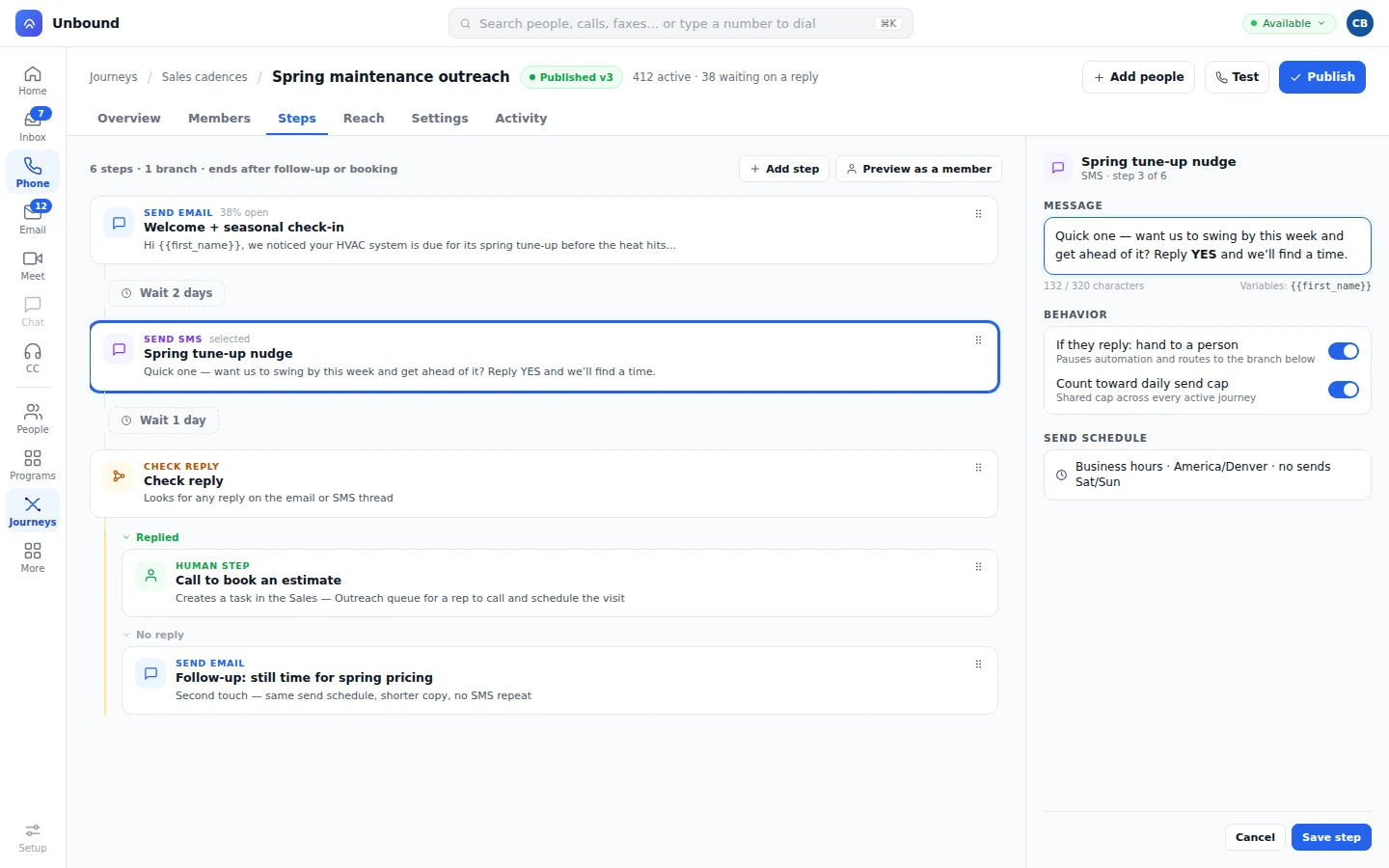
Journeys are built in the same designer that runs your IVR and your queue steps. A journey itself is simpler than that sounds: it's a sequence of touches sent to one person over time, nothing more.
A step sends an email or a text, puts a call on a rep's list, or assigns a task such as a LinkedIn follow or like. A reply can hand the person to a rep or let the sequence keep going, your choice at that step.
Email and text send on their own, or from a rep. A call goes on the rep's list to dial. A task is manual work, such as a LinkedIn follow or like.
Set a step to hand off on any reply, only on a reply that matches a rule, or to keep running.
A human step creates a task on the rep's sales work list. It never lands in a general support queue.
A single cadence, run against one person, end to end.
The first step in the cadence sends as soon as the lead is enrolled.
The step waited two days, then put a call on the rep's list. They dial and log the outcome.
Follow or like the lead on LinkedIn. The rep marks the task done, and the cadence continues.
The reply is checked against your rule and lands on the sales work list, with the message thread attached.
Touches land at the right time, not 3 a.m.
Journeys respect the sending schedule you set: business hours, each lead's time zone, and blackout windows you define. A step waits for the next open window instead of firing the moment it's due.
A journey doesn't need a special on-ramp.
Add one person straight from their record.
Add a whole list at once.
A filter that enrolls people as they match it, on its own.
Any workflow step can enroll a person.
Enroll or remove someone from your own code.
A form submission is an entry point too.
A visitor who reads your pricing twice can be two steps in before they fill a form. See Visitor Identity
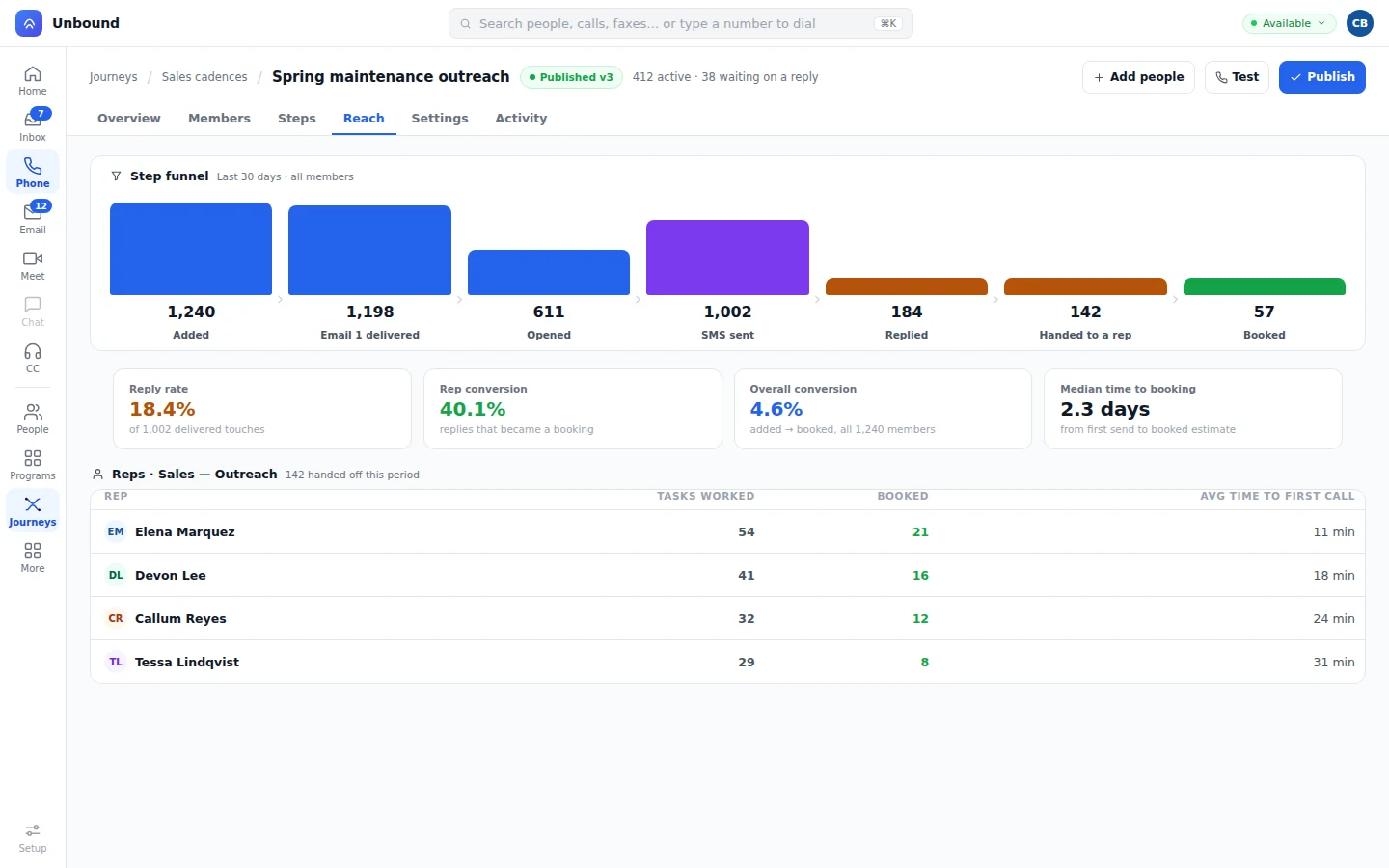
A reach report counts who's at each step and how many converted. Rep performance shows what happens after a human step.
Enrolled, sent, replied, and converted, at every step.
Tasks worked, time to first touch, and bookings, by rep.
Save a named version, publish it when it's ready, and read Sessions to see each run step by step.
Starting from scratch isn't required. A template library covers common sales and lifecycle cadences, so a rep or a marketer can launch one and tune it from there.
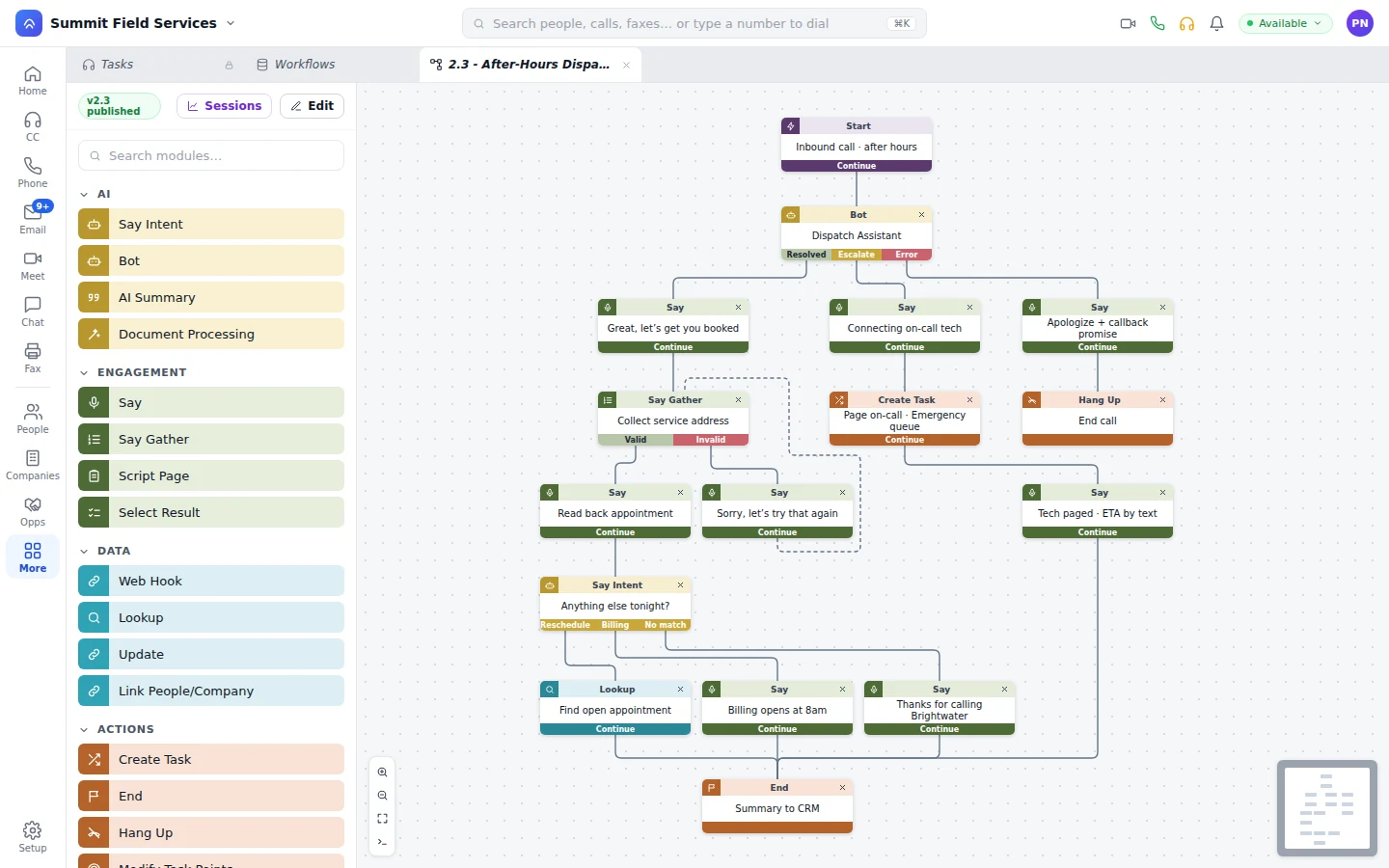
Look up the person, ask about the balance, branch on the answer, and text the pay link.
Text the reminder before the visit. A call confirms it and books a new time if the customer asks for one.
A text goes out, an email follows, and a buyer who replies reaches a rep who can see everything that came before.
A blast is a one-time send to a list. A cadence is a multi-step sequence timed to one person: an email, a wait, a text, a call, a task, then a check for a reply. Unbound runs both on the same engine.
Send an email or a text, put a phone call on a rep's list, or assign a task a person does by hand, such as a LinkedIn follow or like. Waits and reply checks sit between those steps.
You set it per step. A reply can hand the person to a rep right away, or let the sequence keep going until a later step checks again.
A human step creates a task on the rep's sales work list. It never lands in a general support queue.
Yes. Add someone manually, in bulk, by a segment rule, from a workflow, through the API, or when they submit a web form.
No. Journeys are built in the same designer that runs your IVR and your queue steps. A journey itself is simpler: a sequence of touches sent to one person over time.
Open an account with sample data already loaded, where a cadence is already enrolling people. Change a step, save it as a version, and publish it.