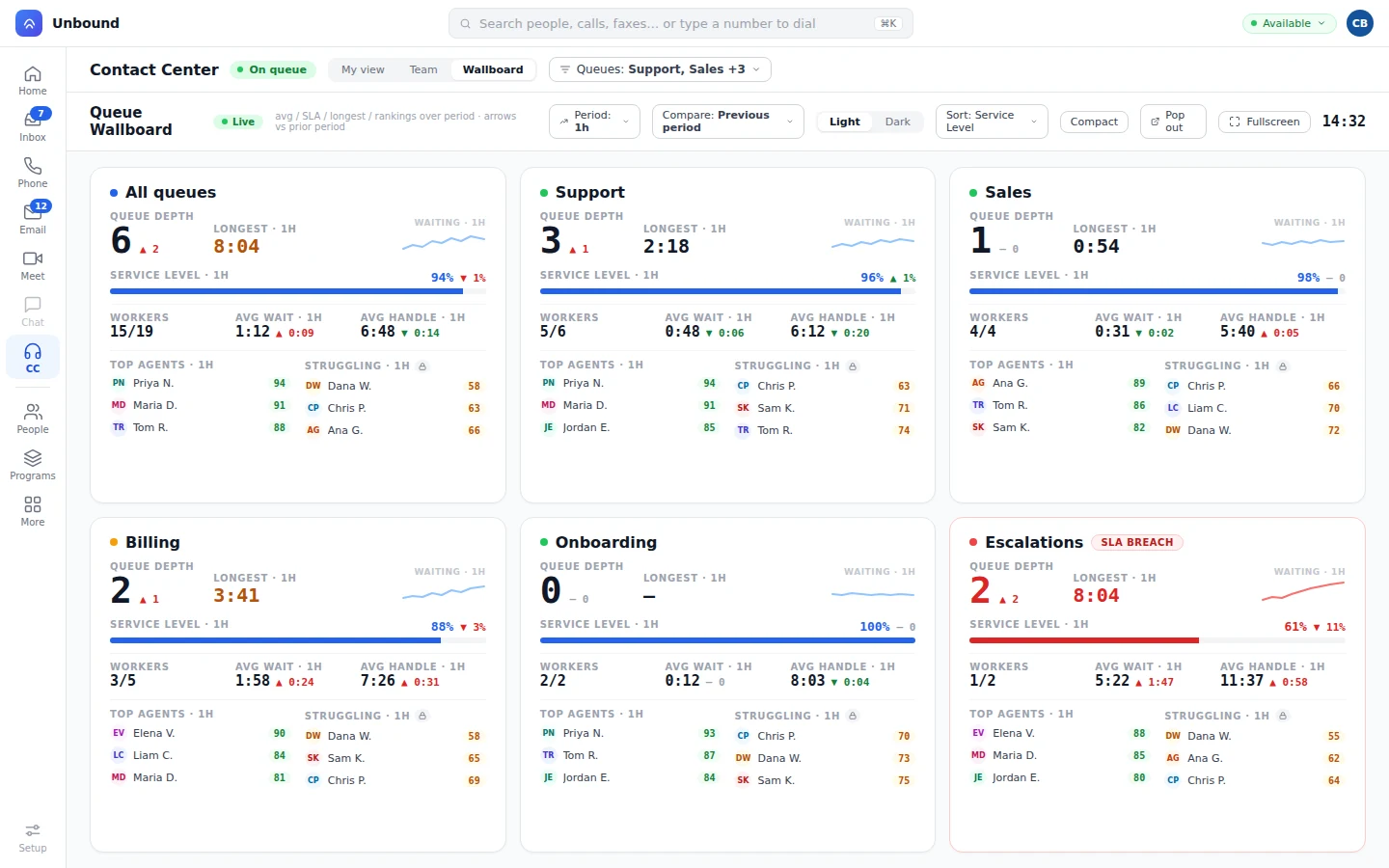
Contact center
One queue for every channel.
Skills, priority, capacity by channel, callbacks, and a hand-raise for help. Bots and people share the queues and the wallboard.
Contact centerYour customer shouldn't have to tell the story twice.
From prospect to lifetime customer. Everything recorded, linked, and tracked.
Every call, text, email, meeting, and click lands on the customer record as it happens, with the transcript and the AI Summary. The deal, the ticket, and the campaign stay on that record.
100+ countries · Cloud, hybrid, or onsite · 1 to 1,000 seats
The same work, from your phone.
An order shows up crushed, and the customer texts at 8:40 PM. A bot fixes it that night, the agent who picks up the next morning already knows, and the manager reviews the bot like anyone else on the team.
The order arrives crushed. The customer snaps a photo, sends it through the store's web chat or by text, and it lands as a task for the support team.
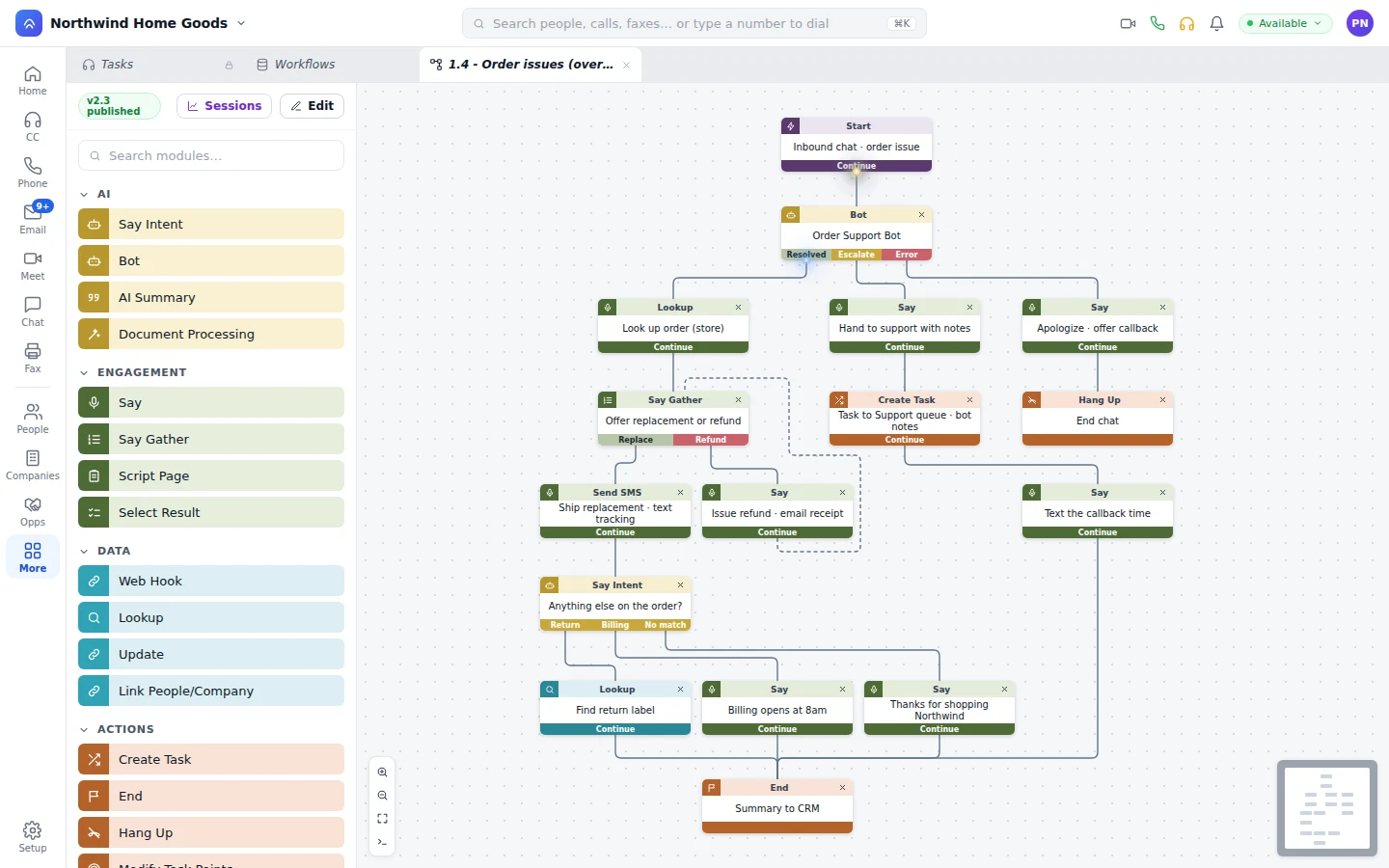
The bot picks it up, finds the order in your store system, and offers a replacement or a refund. The customer picks the replacement, gets a tracking number by text, and the Bot writes what it did to the customer record.
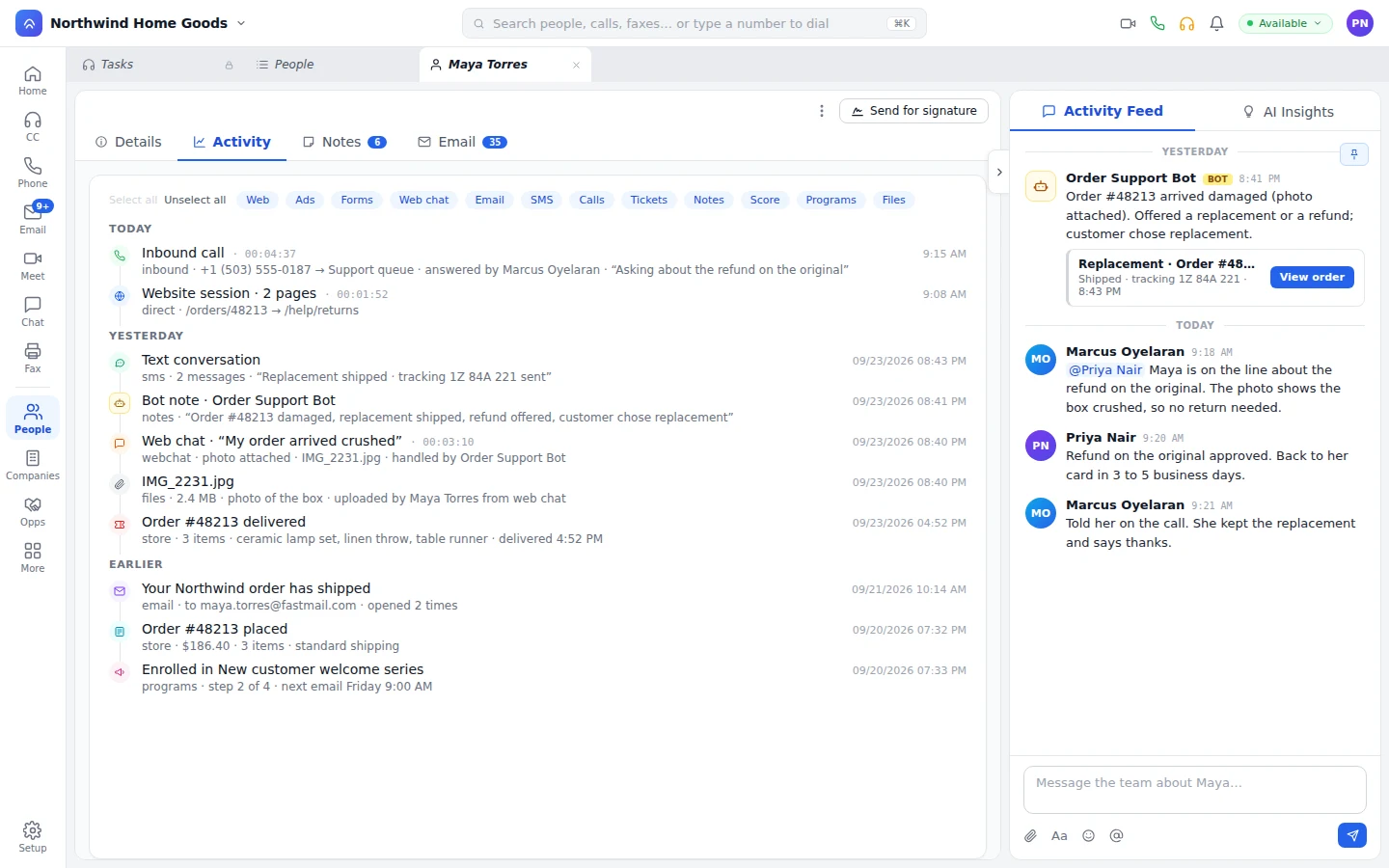
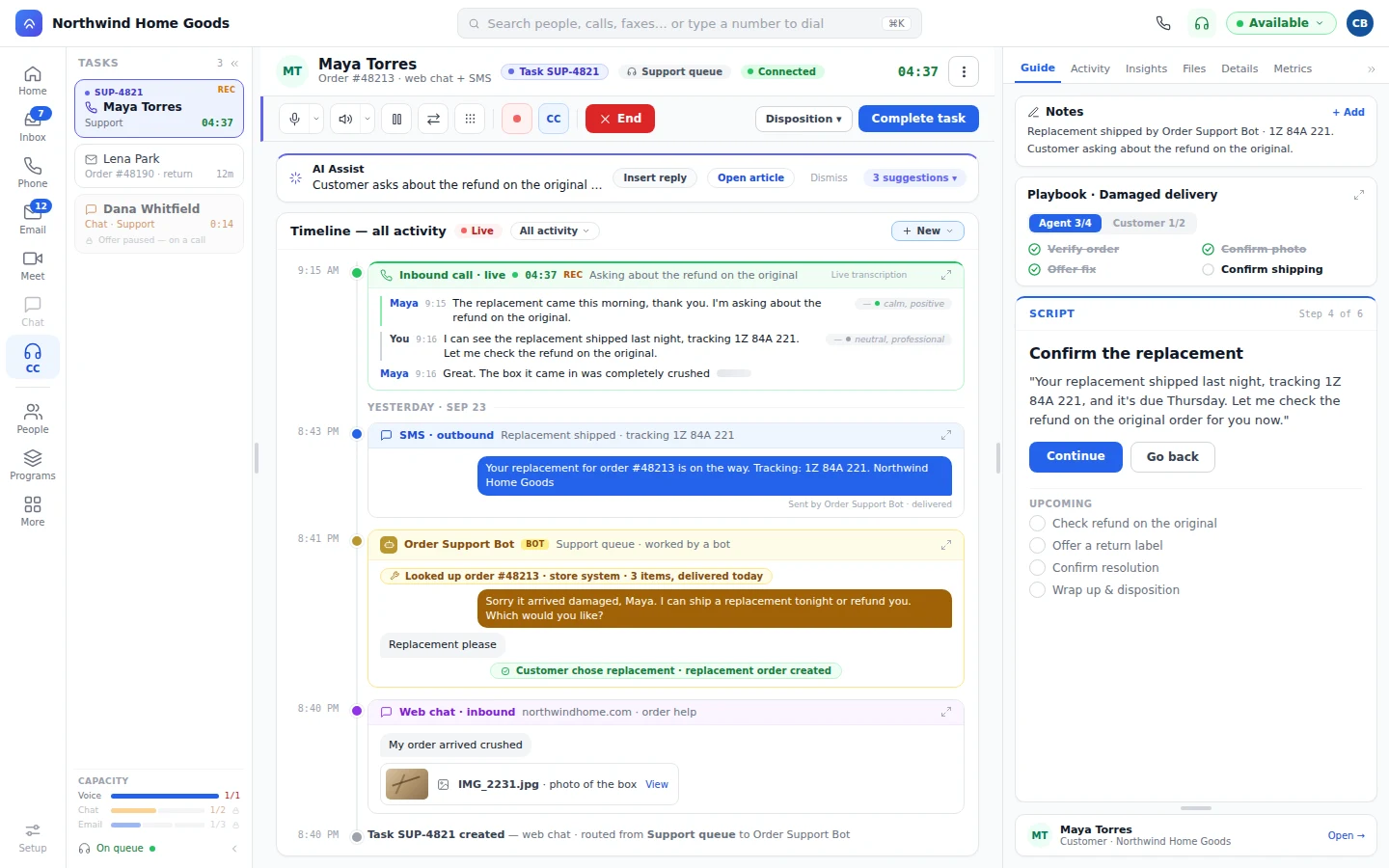
Next morning the customer calls about the original order. The agent who answers already has the photo, the replacement, and the tracking number in front of them. Nobody asks the customer to explain it again.
Later that day the support manager scores the bot's chat the same way they score an agent's call, leaves a note right in the conversation, and tightens the bot's playbook.
An AI Workflow sends Tuesday's billing call to a Bot. The Bot looks up the invoice, resolves it, and writes what it did to the customer record. On Thursday the customer asks for more seats. The agent who picks up sees Tuesday's call, the open ticket, and the renewal date. The account manager sees the same customer record on the deal.
A renewal call, an open ticket, and a rollout meeting sit on the customer record, so the next person doesn't ask the customer to start over.
Most tools sync to your CRM. Unbound is the CRM.
Every category, from the big picture down to each feature.
Home services, healthcare, BPO, SaaS, financial services, real estate, e-commerce, and answering services. See how teams like yours run it.
Sell it, white-label it, or build on it.
Mid-call, the agent texts the customer for a photo, switches to video to see the problem, and follows up by email, all in one task. The customer explains it once.
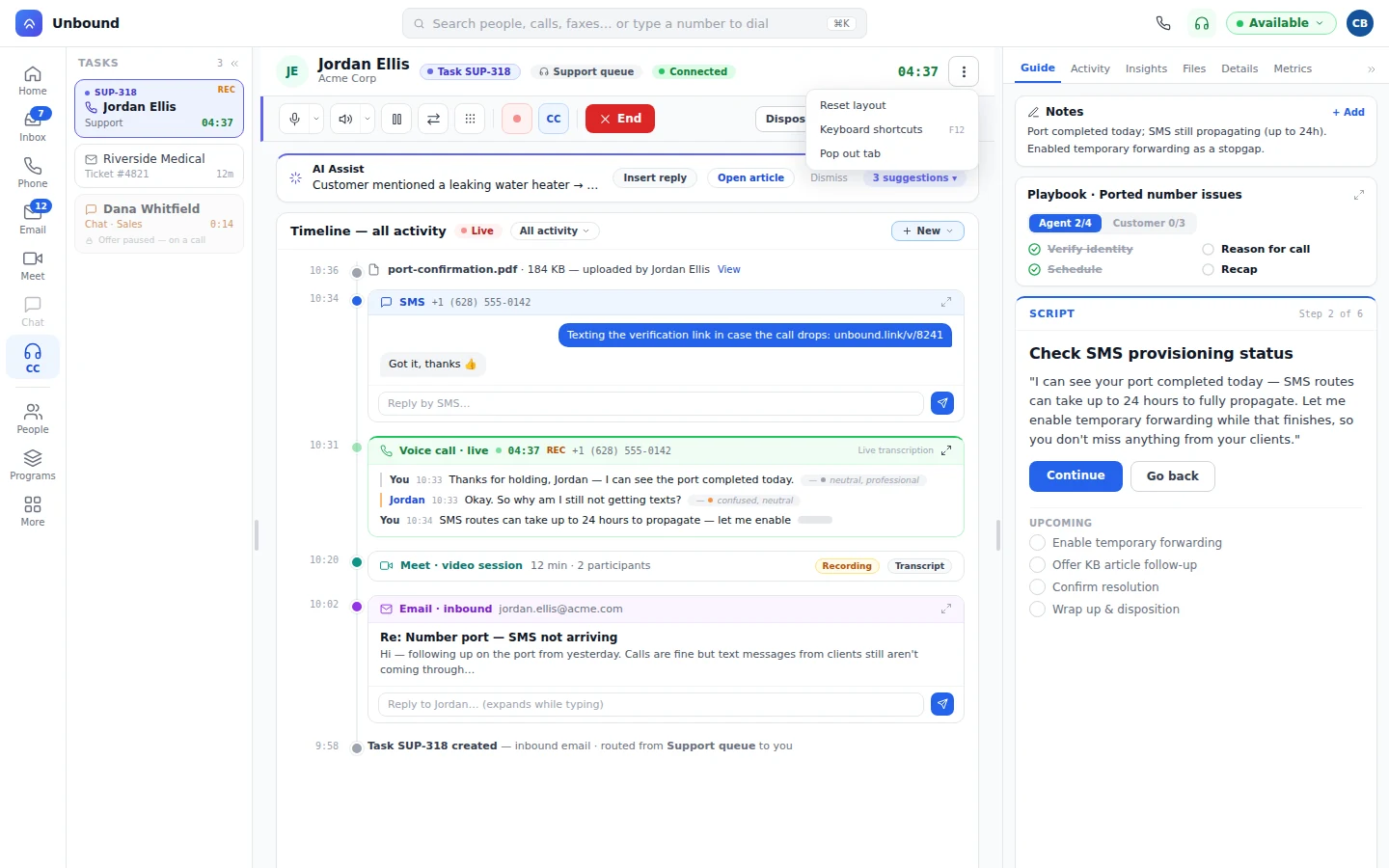
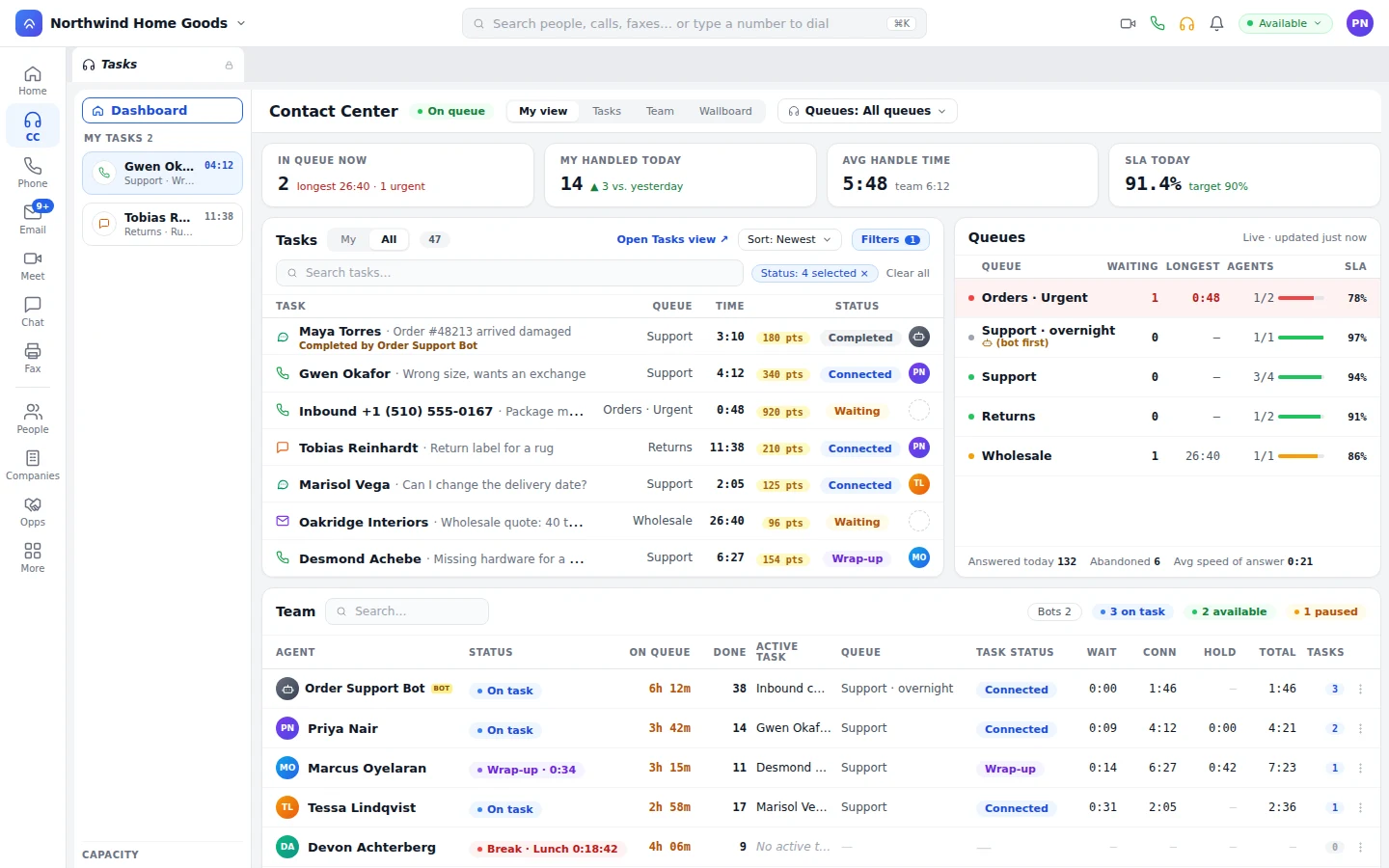
A Bot answers, looks up the order, resolves it, and writes what it did to the customer record. An AI Workflow decides where the conversation goes next: a Bot, the right agent, or the account owner. Your managers see both on the wallboard, review the work, and decide exactly what a Bot is allowed to do.
Managers score a bot's conversations with the QA scorecards they use for people.
Leave feedback in the conversation, then publish a better playbook.
A bot only touches the tools, records, and refunds you give it.
One price for the whole company. Open an account and place a call. The CRM and marketing are already there when you want them. Buy it through the advisor you already work with.
Skills, priority, capacity by channel, callbacks, and a hand-raise for help. Bots and people share the queues and the wallboard.
Contact center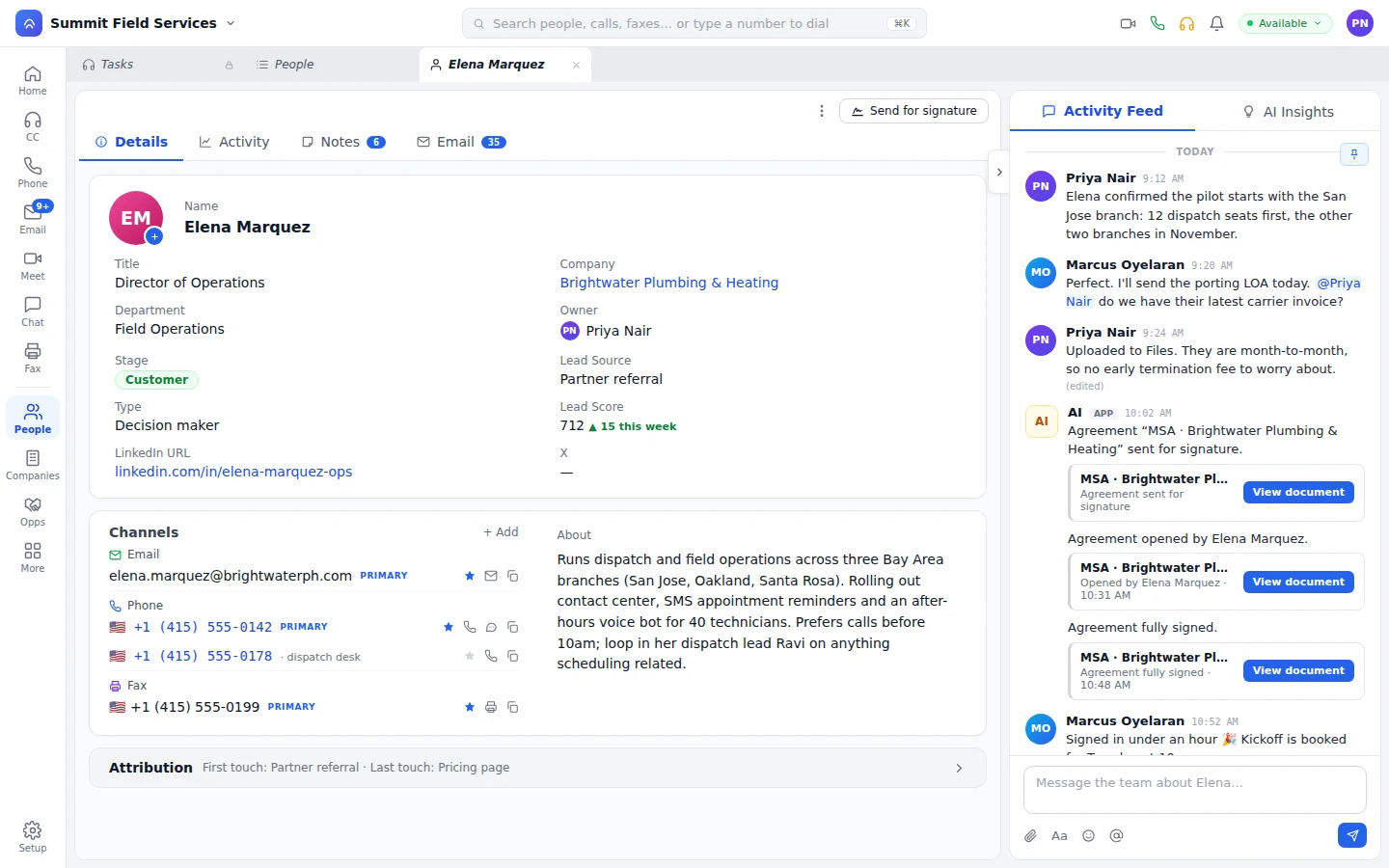
Custom objects work out of the box, or grow into a highly available, event-driven database. Layouts give your team the screens to manage the data, and triggers send notifications, call any platform's API, or update other records.
CRM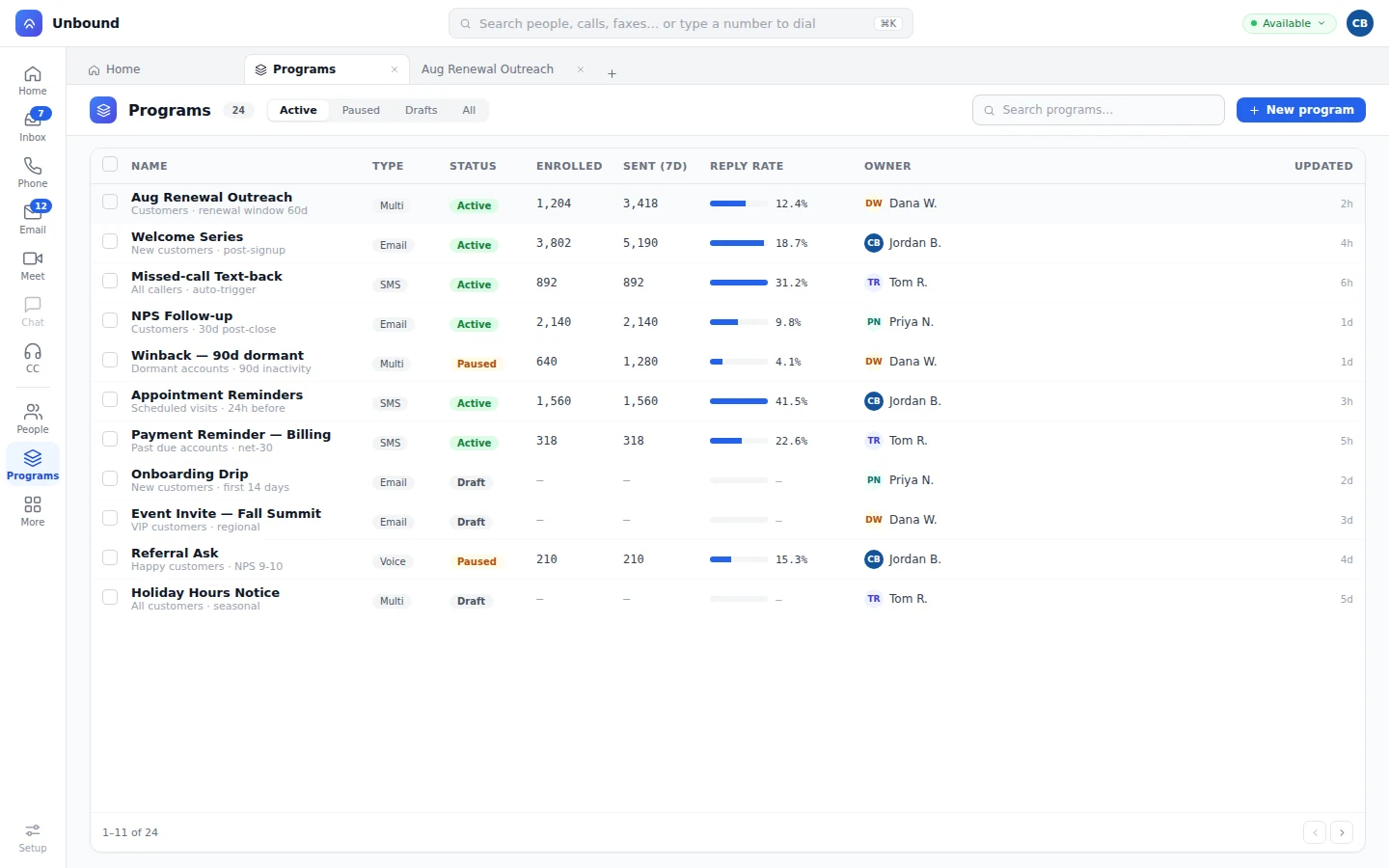
Forms that already know the person and tracking that links devices. See what it cost and what converted, then move people in and out of campaigns automatically.
Marketing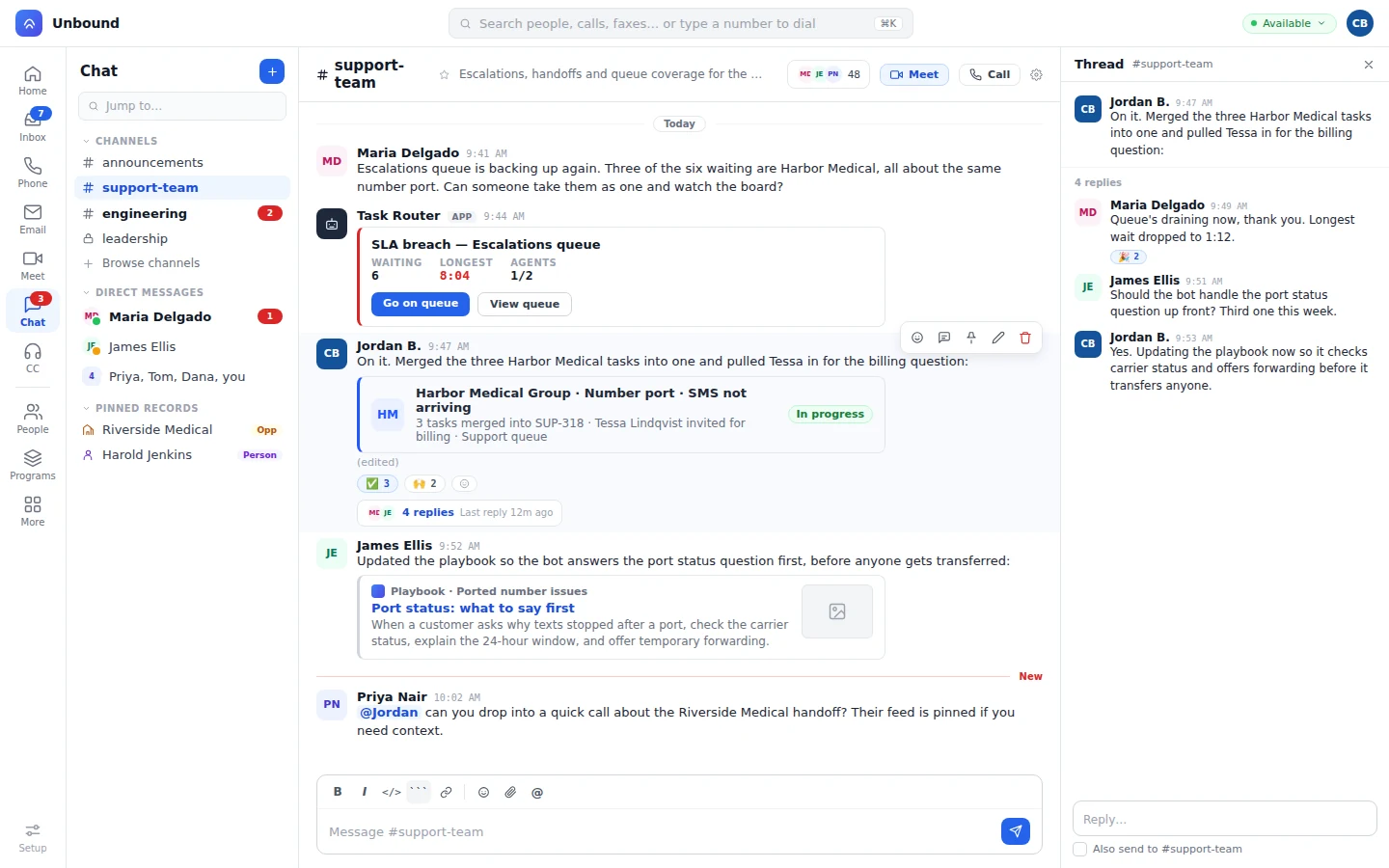
Calls, chat, and meetings on the same login as the contact center. The transcript and the summary land on the customer record.
TeamWhere it runs is the only thing that changes. If you can't live in someone else's cloud, you get the full platform on the Unbound appliance in your building, with the same screens, admin console, and releases.
We run it. You sign in. Multi-region, HD voice, geo routing in 100+ countries.
Hybrid runs in your building and in our cloud together, active/active or active/passive, your choice.
Calls, messages, records, files, and recordings stay in your building. Same product, same releases.
Real apps, not a thin companion. Take the queue from a phone. Sign the proposal on an iPad. Run the wallboard on the wall.
Before the call, the rep sees which emails the prospect opened and the ad they clicked. After the call, the AI Summary is on the deal.
OpportunitiesThe customer calls about an invoice. The agent sees last week's chat, the open ticket, and the account owner before saying hello.
Contact centerA campaign reply, a booked meeting, and the closed deal sit on the customer record, so the campaign gets credit for the revenue.
MarketingOpen a company and see every call, ticket, and deal this month, including the accounts that have gone quiet.
CompaniesSOC 2 and HIPAA. Access policies in a designer or raw JSON, OAuth 2.0 for users and APIs, and encryption in transit and at rest. Our own SIP, media, and video engines, not someone else's rented stack.
Security and infrastructureSet per role and per kind of record.
What people and bots do is logged and auditable.
In transit and at rest.
Your data stays yours, wherever it runs.
Yes. A bot is a worker with skills, capacity, and priority, like any agent. It takes voice, chat, SMS, and email from the queues your team works, under the same routing rules.
Yes. Bots show up on the wallboard and in team view next to your team. Managers listen live, leave feedback in the conversation, score the bot with the QA scorecards they already use, and step in whenever they want.
It passes the task to a person along with everything so far: what the customer said, what was promised, and what's still open. The customer doesn't repeat anything.
One product. Contact center, team phone and chat, CRM, and marketing run on the customer record, one login, and one contract. Cloud, hybrid, or onsite, with the same product in each.
Built by operators who've spent 20 years inside contact centers and customer platforms.
Open an account with sample data already loaded: calls, records, and workflows. Put a bot on a queue, dial a record, send a proposal. Then decide.